

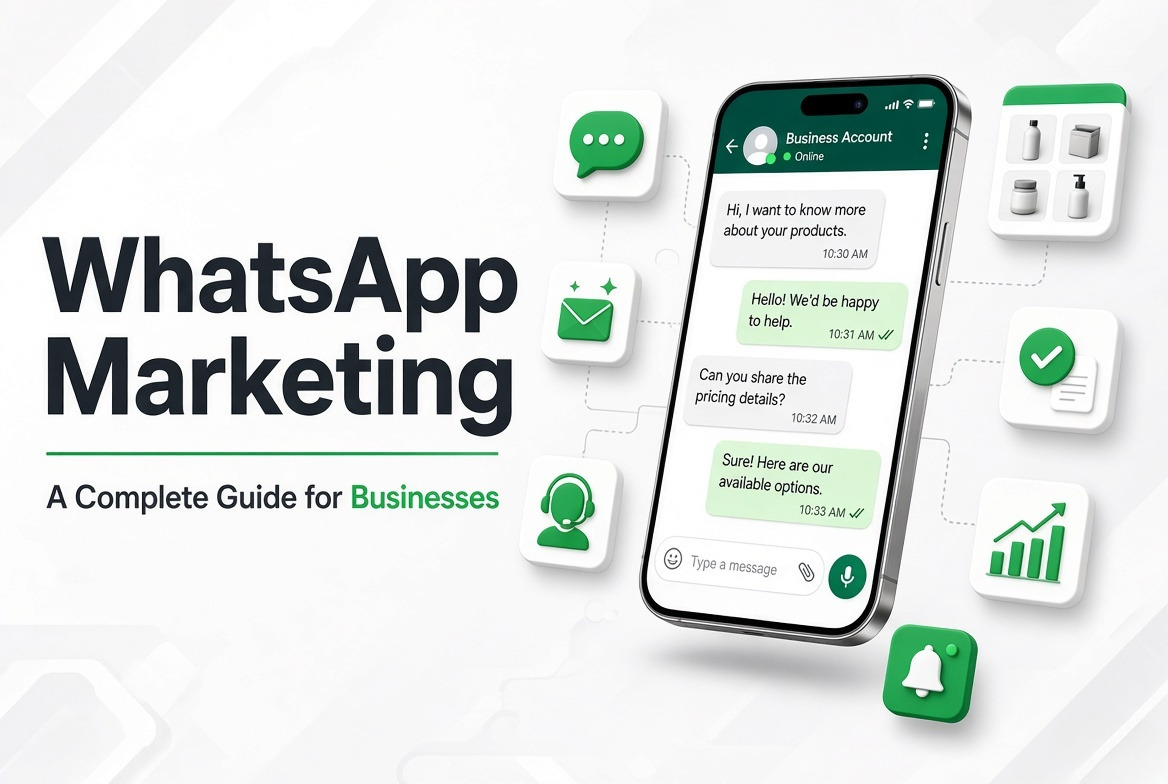
Think about how often people use WhatsApp to ask about a product, check a price or confirm a booking. Many customers prefer sending a quick message rather than making a phone call or filling out a contact form. Businesses can use this habit to stay connected with customers and answer their questions.
This is where WhatsApp marketing comes in. It allows businesses to share product details, announce offers, follow up on enquiries and send important updates through WhatsApp. From a small shop to a growing company, businesses can use it to make customer communication easier.
What Is WhatsApp Marketing?
WhatsApp marketing means using WhatsApp to promote products or services and communicate with customers. Businesses can send messages, share photos and videos, answer questions and inform customers about new offers or updates.
For example, a clothing store can message interested customers about a new collection. A travel company can share tour details, while a coaching institute can answer admission enquiries and send class reminders.
Customers can also reply to these messages and ask questions. So, WhatsApp is not just a place to share promotions. It gives businesses a way to have direct conversations with people interested in what they offer.
How Does WhatsApp Marketing Work?
Getting started with WhatsApp marketing is fairly simple. A business creates an account, adds its details and invites customers to connect.
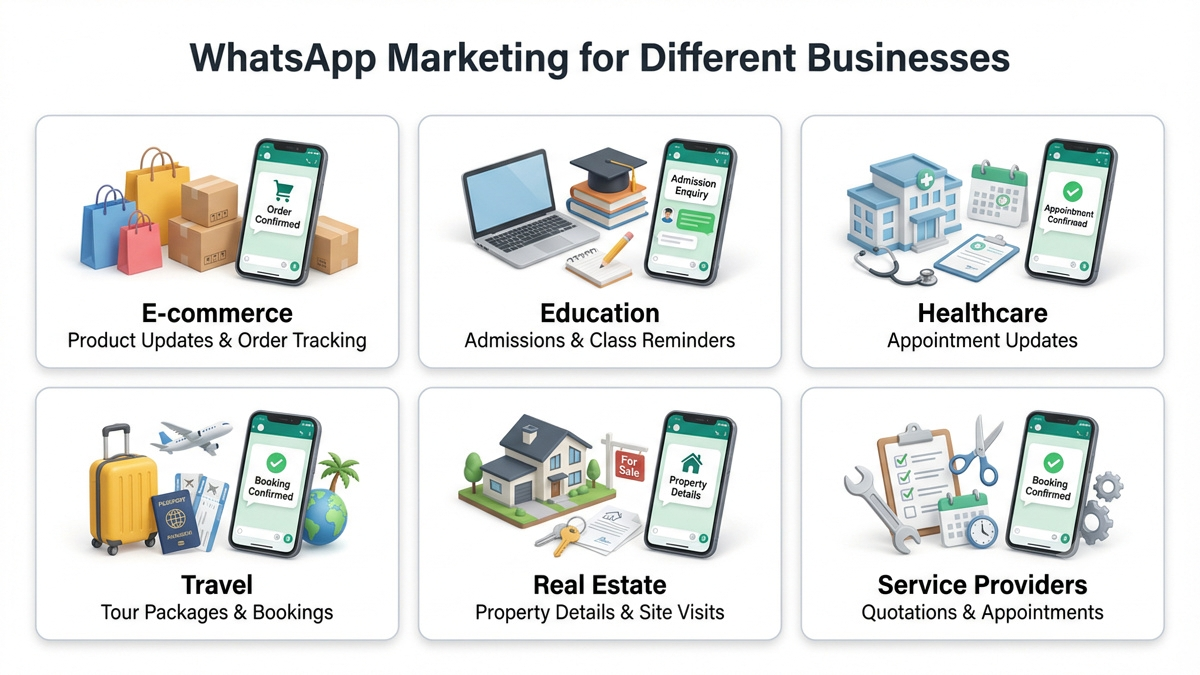
Here is how businesses usually get started:
- 1
Create a business account
Add your business name, description, contact details, website and working hours.
- 2
Share your WhatsApp contact
Add a chat link to your website, social media pages or advertisements.
- 3
Ask for customer permission
Let people choose whether they want to receive promotional messages and business updates.
- 4
Send useful messages
Share product information, prices, offers, appointment reminders and service updates.
- 5
Reply to enquiries
Answer questions about availability, bookings, payments or purchases.
- 6
Check the response
See which messages lead to replies, enquiries and sales.
You can manage these conversations yourself if you have a small customer base. If several people contact your business throughout the day, automation and team inbox features can make the work easier.
WhatsApp Business App vs WhatsApp Business Platform
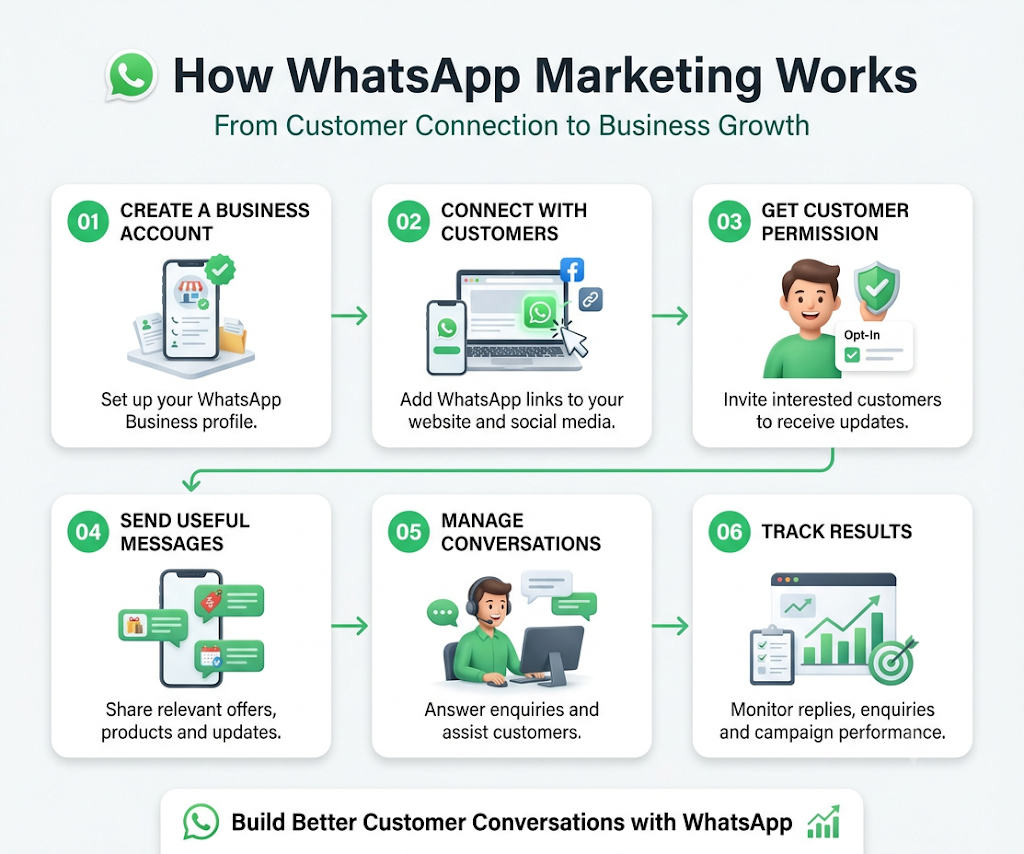
WhatsApp offers two main options for businesses: the WhatsApp Business App and the WhatsApp Business Platform. Both help businesses communicate with customers, but they are designed for different needs.
| Feature | WhatsApp Business App | WhatsApp Business Platform |
|---|---|---|
| Suitable for | Small businesses | Growing and larger businesses |
| Setup | Mobile application | API-based integration |
| Customer replies | Manual replies and basic automation | Automated and team-managed conversations |
| Multiple users | Limited device support | Multiple agents through connected software |
| Automation | Greeting messages, away messages and quick replies | Chatbots and automated workflows |
| Integrations | Limited | CRM and other business systems |
If you run a small business and handle customer messages yourself, the Business App may be all you need. But if your team receives hundreds of enquiries or needs to manage several conversations at once, the Business Platform offers more options.
What Are the Main Features of WhatsApp Marketing?
Here are some features businesses can use to communicate with customers and manage everyday enquiries.
1. Business Profile
Your business profile works like a small information page. You can add your business name, address, description, website, email and working hours. Customers can check these details before contacting you.
2. Broadcast Messages
Broadcast messages let you send the same message to several contacts without creating a group. For example, a store can share a festival offer or announce the arrival of new products.
With standard broadcast lists in the Business App, recipients generally need to save your business number to receive the message.
3. Automated Messages
You don't have to type the same reply every time someone contacts your business. Greeting messages can welcome new customers, while away messages can tell them when you are unavailable.
Businesses using advanced automation can also set up chatbots to answer common questions and collect customer details.
4. Product Catalogue
If you sell products, the catalogue feature lets you display their pictures, descriptions and prices. Customers can browse the available items and ask about anything they want to know.
5. Quick Replies
Some questions come up almost every day. Customers may ask about delivery charges, payment methods, booking procedures or business hours. Quick replies let you save answers to these questions so you can send them without typing everything again.
6. Click-to-WhatsApp Ads
These advertisements take people directly to a WhatsApp conversation when they click on them. A customer interested in a product or service can start chatting with your business instead of visiting several pages to find contact details.
What Are the Benefits of WhatsApp Marketing for Businesses?
For many businesses, answering customer questions takes up a considerable part of the working day. WhatsApp can make some of these conversations easier to manage.
Direct communication with customers:
People can message your business to ask about products, prices or services. They don't need to wait for someone to answer a phone call.
Quicker customer support:
You can respond to common questions, share instructions and provide order-related information through messages.
Personalised messages:
You can share product updates or offers based on what customers have shown interest in, provided they have agreed to receive such messages.
More sales enquiries:
When customers have questions before buying, your team can discuss their requirements, share product details and help them with the next step.
Order and booking updates:
Online stores can send order confirmations and delivery details, while service providers can share appointment reminders.
Less repetitive work:
Quick replies and chatbots can handle routine questions. This gives your team more time to deal with conversations that need personal attention.
How Can Different Businesses Use WhatsApp Marketing?
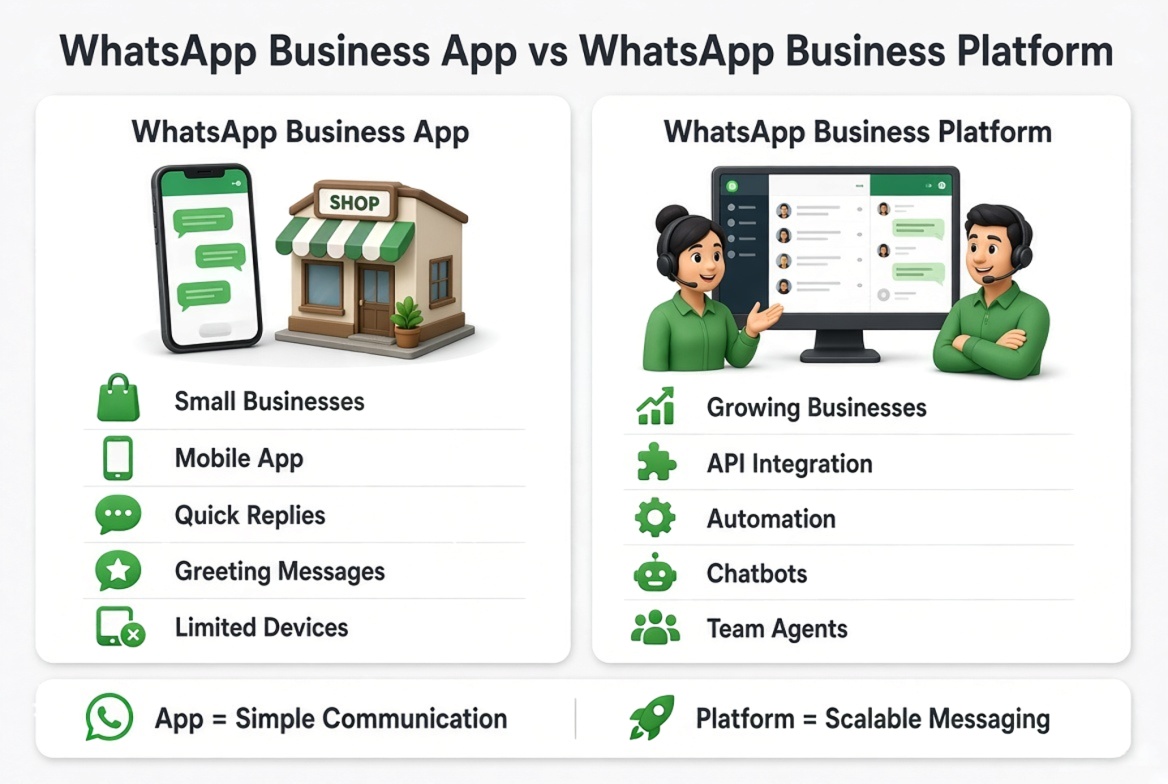
The way you use WhatsApp will depend on what your business offers. Here are a few examples:
- E-commerce businesses: Share new products, answer questions about prices and send order updates.
- Educational institutes: Provide admission details, course information, fee details and class reminders.
- Healthcare centres: Send appointment confirmations and scheduling updates while protecting patient information.
- Travel businesses: Share tour packages, booking confirmations and travel itineraries.
- Real estate businesses: Send property details, answer buyer questions and arrange site visits.
- Service providers: Share quotations, confirm appointments and follow up with customers.
A business does not need to run a promotional campaign every time it sends a message. Sometimes, a simple booking confirmation or a quick answer to a customer's question is just as useful.
How to Start WhatsApp Marketing for Your Business
If you haven't used WhatsApp for business communication before, start with a few basic steps.
1. Create Your Business Account
Download the WhatsApp Business App and complete your profile. Add your business details, contact information, working hours and a short description of what you offer.
2. Add a WhatsApp Chat Link to Your Website
Make it easy for website visitors to contact you. Place a WhatsApp chat link on your contact page, product pages or other relevant sections.
3. Build Your Contact List
Invite interested people to subscribe to your business updates. You can do this through your website, enquiry forms, advertisements or in-store communication. Tell them what kind of messages they can expect.
4. Decide What You Want to Send
You don't need to send offers every day. Share information that customers may actually want, such as new products, service updates, useful tips, booking reminders or special offers.
5. Set Up Quick Replies and Automation
If customers regularly ask the same questions, prepare saved replies. As your business grows, you can look at chatbots and team inbox features to manage more conversations.
6. Check Which Messages Get Responses
Pay attention to customer replies, enquiries and purchases after a campaign. If people respond to certain types of messages more often, consider what made those messages useful to them.
Common WhatsApp Marketing Mistakes to Avoid
Sending messages is easy, but getting people to read and respond is another matter. A few common mistakes can make customers lose interest.
- Sending messages without permission: Don't add people to your promotional list just because you have their phone numbers.
- Sending too many offers: Customers may start ignoring your messages if every conversation is about a sale.
- Writing long messages: Keep the main information easy to find. Customers should not have to read several paragraphs to understand an offer.
- Ignoring replies: If someone asks about a product or service, try to respond within a reasonable time.
- Depending only on chatbots: Automated replies are useful, but customers should be able to speak with a person when needed.
- Ignoring opt-out requests: Stop sending promotional messages when someone asks to unsubscribe.
Frequently Asked Questions
1. Is WhatsApp marketing free for businesses?
The WhatsApp Business App is free to download and includes basic business messaging features. The WhatsApp Business Platform may involve message charges and additional costs for connected software or service providers.
2. How can I send bulk messages on WhatsApp?
You can use broadcast lists in the WhatsApp Business App to send the same message to multiple contacts. For larger campaigns, businesses can use the WhatsApp Business Platform with approved messaging tools. Always get permission before sending promotional messages.
3. Can I use my personal WhatsApp number for business?
You can register your number with the WhatsApp Business App. If it is already being used for a personal account, you may need to transfer the account during setup. If you want to keep personal and business conversations separate, using two numbers may be more convenient.
4. How do I get more customers on WhatsApp?
Add your WhatsApp chat link or QR code to your website, social media pages, advertisements and printed business materials. You can also invite people who enquire about your products or services to contact you through WhatsApp.
5. Does WhatsApp marketing actually increase sales?
It can help businesses get more enquiries by making it easier for customers to ask questions and learn about products or services. Sales still depend on factors such as pricing, product quality, customer interest and how well your team handles enquiries.
6. What is the difference between WhatsApp broadcast and WhatsApp groups?
A broadcast message reaches multiple contacts individually. Recipients cannot see other people who received the same message. In a group, all members can see messages shared by other participants and reply in the same conversation.
7. Why are my WhatsApp broadcast messages not reaching everyone?
One common reason is that some recipients have not saved your business number in their contacts. Incorrect phone numbers, delivery problems or account restrictions can also affect message delivery. Check the contact details and delivery information before sending the messages again.
8. Can I automate WhatsApp replies without hiring someone?
Yes. The Business App offers greeting messages, away messages and quick replies. If you need more advanced automation, you can use the WhatsApp Business Platform with chatbot integrations to answer common questions and direct customers to the right team.
9. Can WhatsApp marketing help a new business get leads?
Yes. A new business can add WhatsApp links to its website, use QR codes on promotional materials or run click-to-WhatsApp advertisements. When interested people start a conversation, you can answer their questions and understand what they are looking for.
10. How do I stop my business WhatsApp account from getting blocked?
Avoid sending unwanted messages or contacting people who haven't agreed to receive promotions. Use approved messaging methods, keep your messages relevant and respect requests to stop receiving updates. Repeated complaints or policy violations can put your account at risk.
Conclusion
WhatsApp can be a useful part of your business communication, whether you want to answer enquiries, share product details or keep customers informed about their orders.
You can start with a business profile, a few saved replies and a clear idea of what you want to share. There is no need to send promotional messages every day. Give customers information they have asked for, respond when they contact you and use automation when managing conversations becomes difficult.
That's what makes WhatsApp marketing useful for a business: it gives customers an easy way to reach you and gives your team a simple way to stay in touch.
Published by
BrightVon Editorial Team
BrightVon is the official Meta WhatsApp Business API platform helping businesses automate support, broadcast marketing campaigns with zero markup, and scale high-converting conversations.